


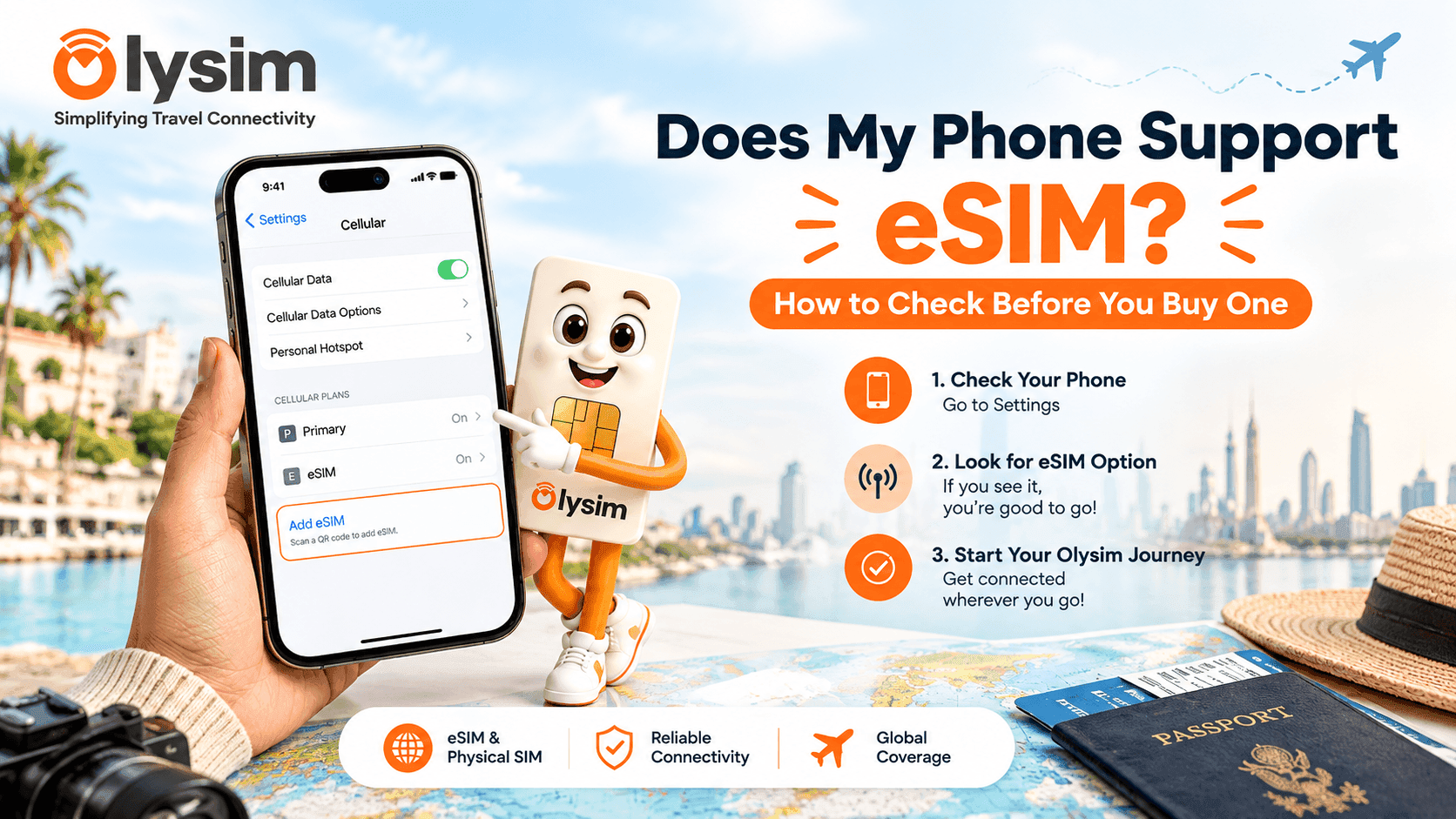
You are about to book a travel eSIM, but you are not sure your phone can actually use one. Buy the wrong type and you land with no internet. Here is how to check in under two minutes, before you pay for anything.
Quick answer: most iPhones from the XS onwards and many recent Samsung and Google Pixel models support eSIM, but many budget Android phones do not. The fastest check: dial *#06# and look for a line called EID. Check your own phone's settings menu below to be sure, since some India-specific variants have eSIM turned off.
What is an eSIM, in plain words?
An eSIM is a SIM built inside your phone, so there is no small plastic card to remove or swap. You get a QR code or a short link from the seller, scan or tap it, and your phone downloads the connection straight in. There is nothing to post to you and nothing to lose at the airport.
Not every phone has this built-in chip. That is why you need to check before you buy a travel eSIM for your next trip.
How to check if your phone supports eSIM
The fastest way is to look in your phone's own settings. This works whether you have an iPhone, a Samsung, a Pixel or most other Android phones bought in the last four to five years.
On an iPhone
- Open Settings, then tap Cellular or Mobile Data.
- If you see an option called "Add eSIM" or "Convert to eSIM", your phone supports it.
- If you do not see this option at all, your phone likely only takes a physical SIM.
On Samsung or Google Pixel
- Open Settings, then tap Connections or Network & Internet.
- Tap SIM Manager or SIMs, then look for "Add eSIM" or "Download a SIM instead".
- If that option is missing, your device does not support eSIM, or it has been switched off by your network.
A second way that works on any phone
Dial *#06# on your phone like a phone number. This brings up your device's ID numbers. If you see a line labelled EID, your phone has an eSIM chip inside it. No EID line usually means no eSIM support.
Why some Indian phone models don't show eSIM, even similar ones
This trips up a lot of travellers from India. The same phone model sold in the US, UAE or Europe may have eSIM turned on, while the version sold in India has it hidden or disabled. This is a decision made by the phone maker for the Indian market, not something wrong with your device.
It is common with some dual-SIM iPhone and Samsung variants bought in India. If your phone is a global or imported unit bought from Dubai or Singapore, it is more likely to have eSIM already enabled.
Common phones and whether they support eSIM
| Phone | eSIM support |
|---|---|
| iPhone XS and newer | Yes, on most units sold in India |
| Samsung Galaxy S20 and newer (most variants) | Often yes, check settings to confirm |
| Google Pixel 3 and newer | Yes |
| Most budget Android phones under ₹20,000 | Usually no |
| Phones bought before 2019 | Almost never |
This table is a general guide only. Always check your own phone's settings using the steps above, since the exact model and where it was bought both matter. You can also see the full list of eSIM compatible devices before you buy.
What if your phone does not support eSIM?
You are not stuck. A physical travel SIM works the same way an eSIM does for staying connected abroad, just with a small card you insert into your phone instead of scanning a code. It is a good option if your phone is a few years old or an India-only variant without eSIM turned on.
Either way, your Indian SIM can stay in the phone next to the travel SIM or eSIM. Turn off data roaming on it so it does not run up roaming charges.
What to do once you know your phone supports eSIM
Once your phone shows the "Add eSIM" option, you are ready to buy a plan for your destination and set it up before you fly. Setting it up at home, on your own Wi-Fi, is far easier than doing it at the airport with slow public Wi-Fi and a boarding call in twenty minutes.
If this is your first time, our step-by-step eSIM installation guide walks through scanning the QR code and turning on data roaming, screen by screen.
Browse eSIM plans for your destination to see what's available once you've confirmed your phone is ready. If you have any doubts about your specific device, our FAQ page covers the most common mix-ups.
The bottom line
Checking eSIM support takes two minutes in your phone's settings, or one dial code. Do this before you buy any travel SIM plan, so you get the right one for your device and land already connected. Take a look at our eSIM plans once you've confirmed your phone is ready.


