How to install an eSIM on Samsung Galaxy in India
At home in India, on Wi-Fi, open Settings > Connections > SIM manager > Add eSIM and scan the QR code from your Olysim email. When you land, turn the eSIM on, choose it for mobile data and turn on Data roaming.
It takes about 5 minutes. The pictures show a Galaxy phone with One UI. Menu names can differ a little on your model.
Before you start
- Wi-Fi
- The QR code from your Olysim email, on another screen or printed
- A Galaxy phone with eSIM (dial *#06# and look for an EID)
Step by step
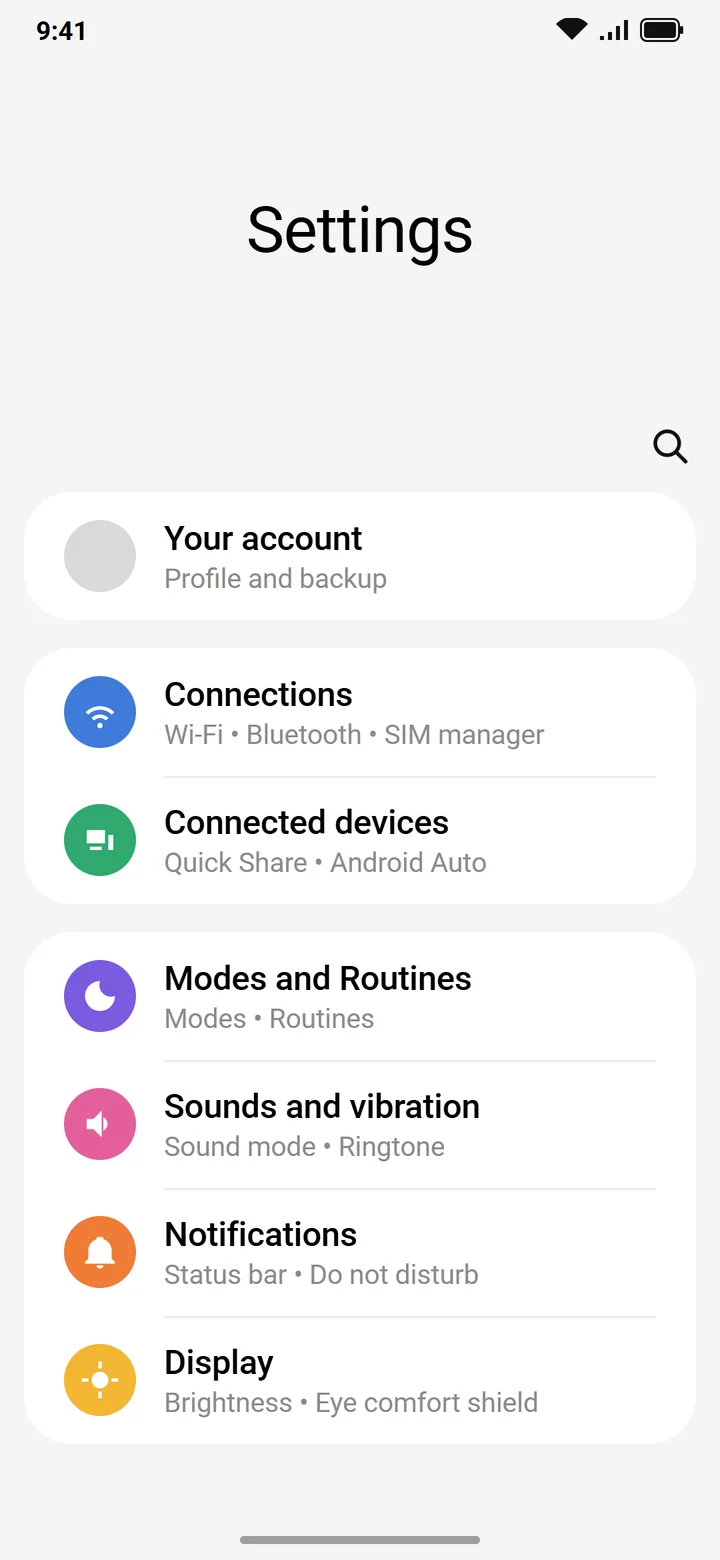 1Step 1 of 9
Open Settings and tap Connections.
It is near the top of the list.
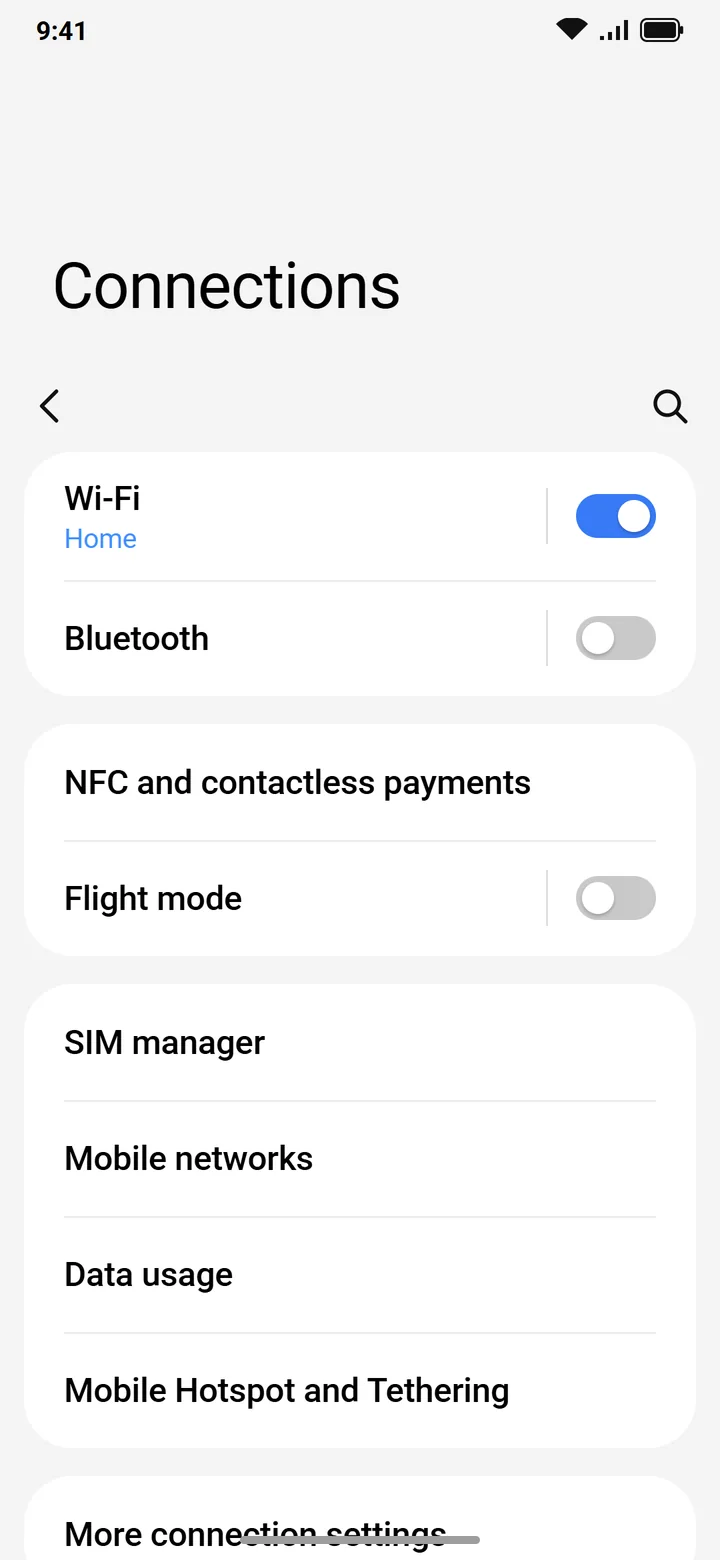 2Step 2 of 9
Tap SIM manager.
On older phones it is called SIM card manager.
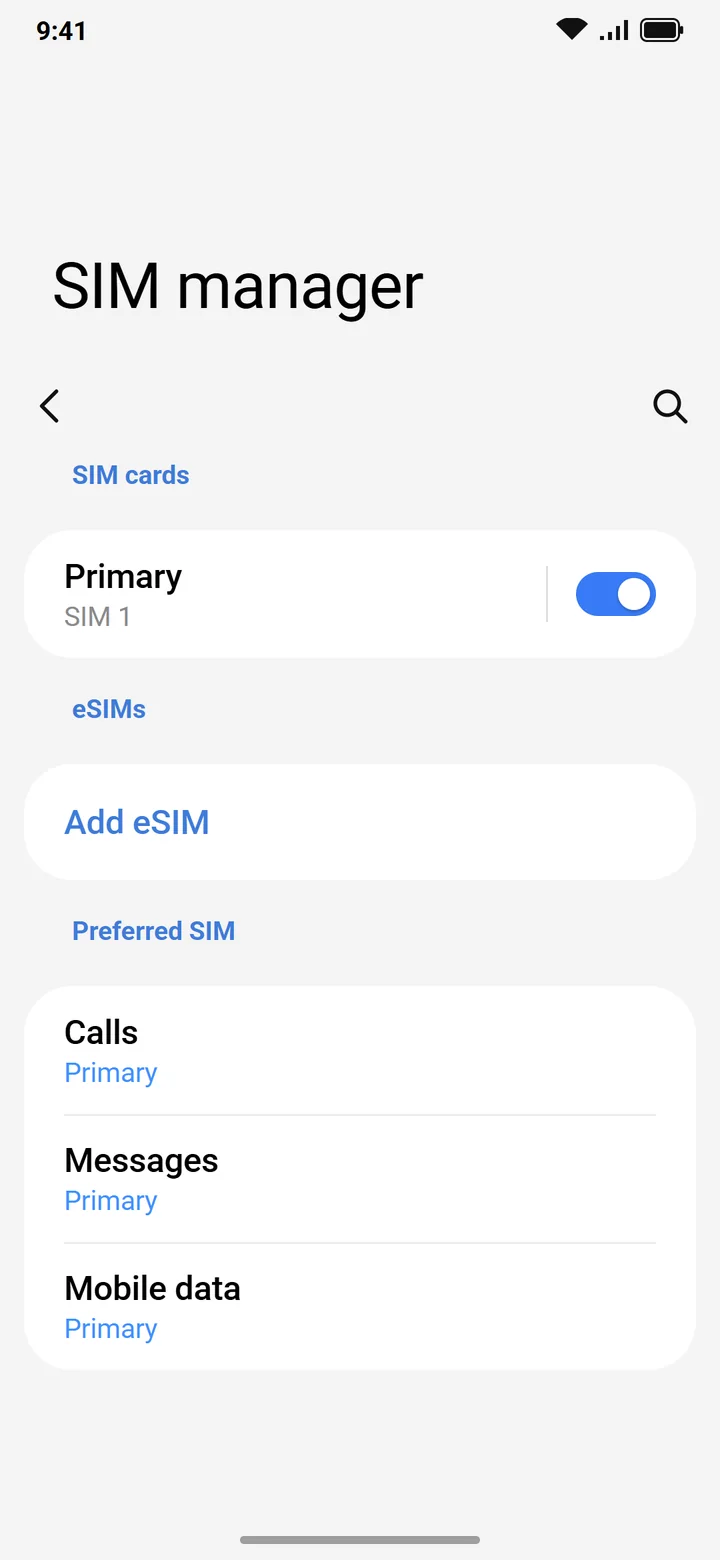 3Step 3 of 9
Tap Add eSIM.
On older phones it says Add mobile plan.
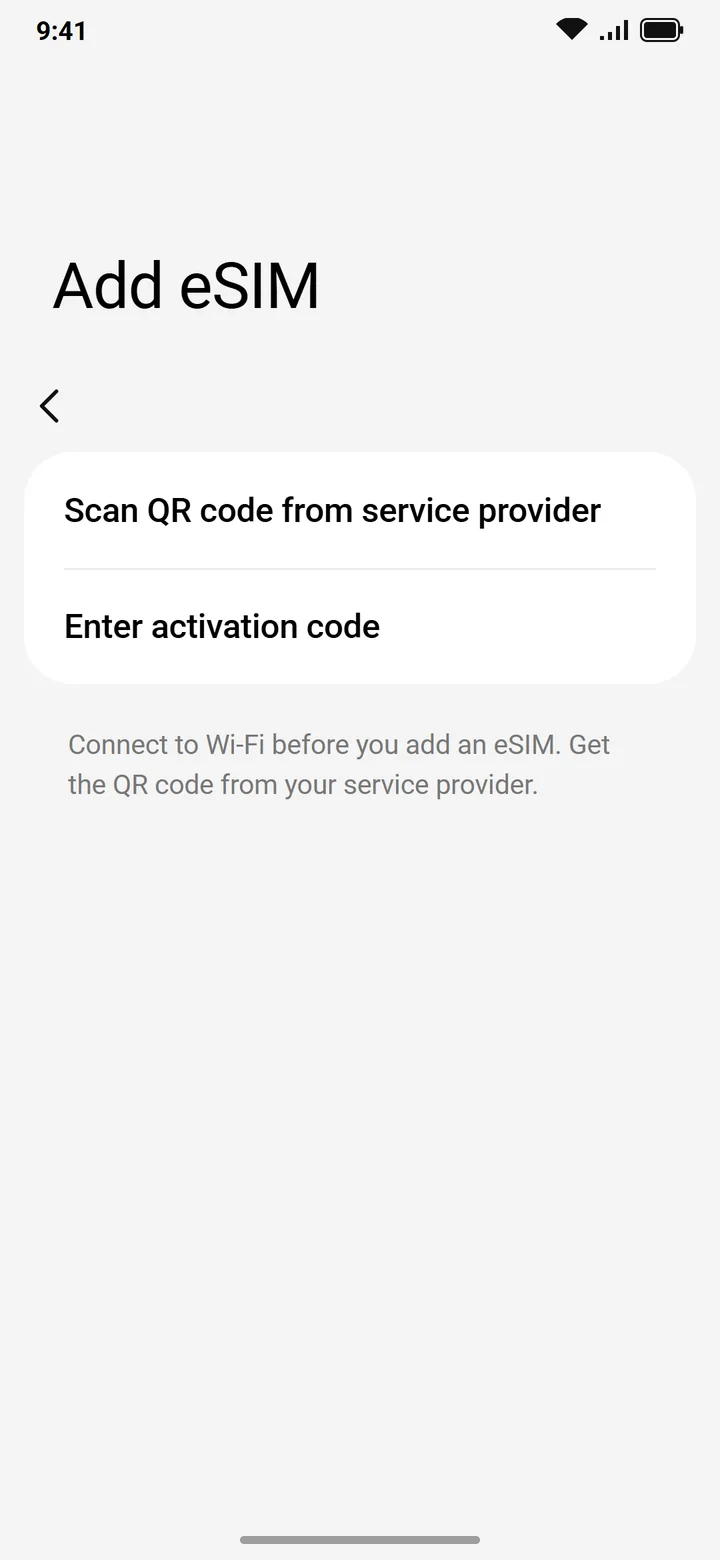 4Step 4 of 9
Tap Scan QR code from service provider and scan the code from your email.
Can't scan? Tap Enter activation code and type the code from your email.
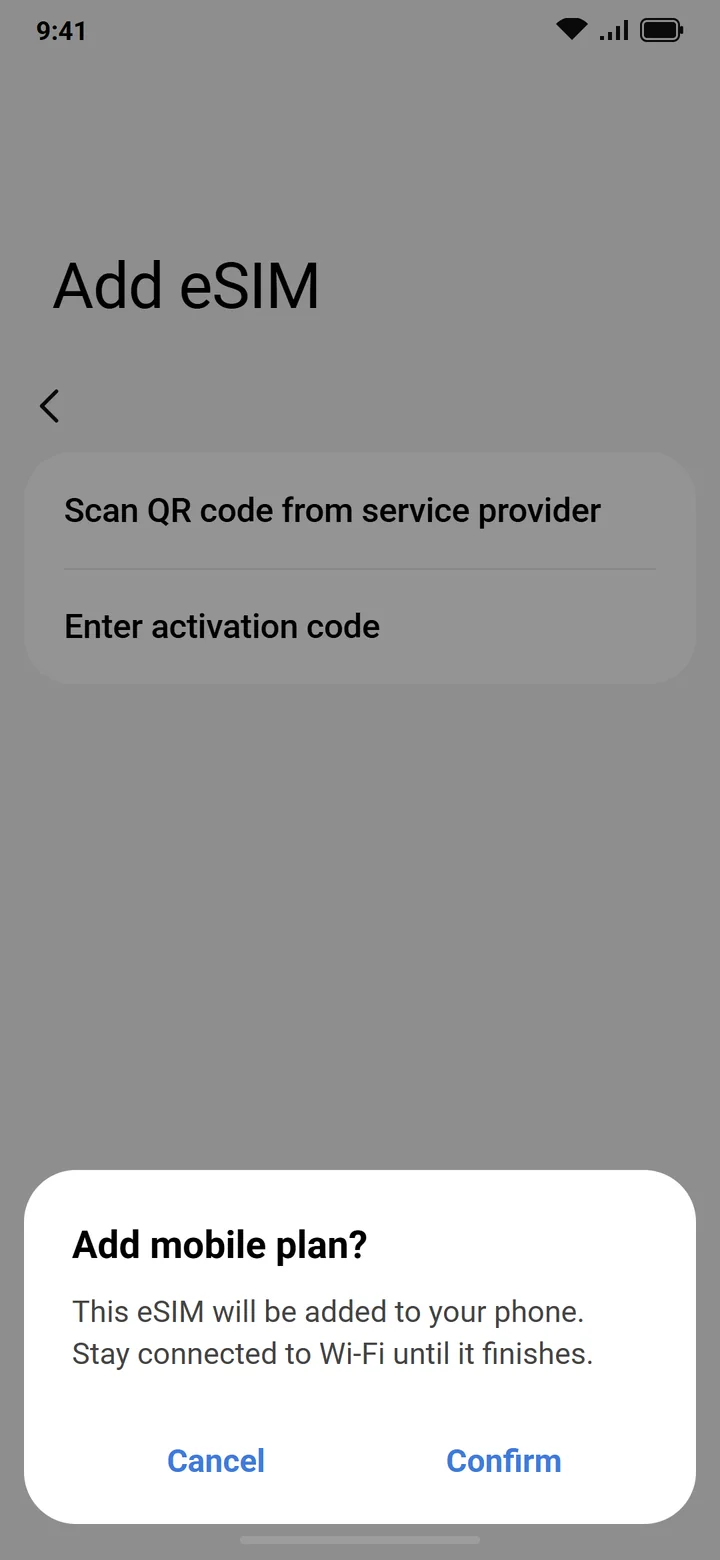 5Step 5 of 9
Tap Confirm and wait until it finishes.
Stay on Wi-Fi. It can take a minute or two.
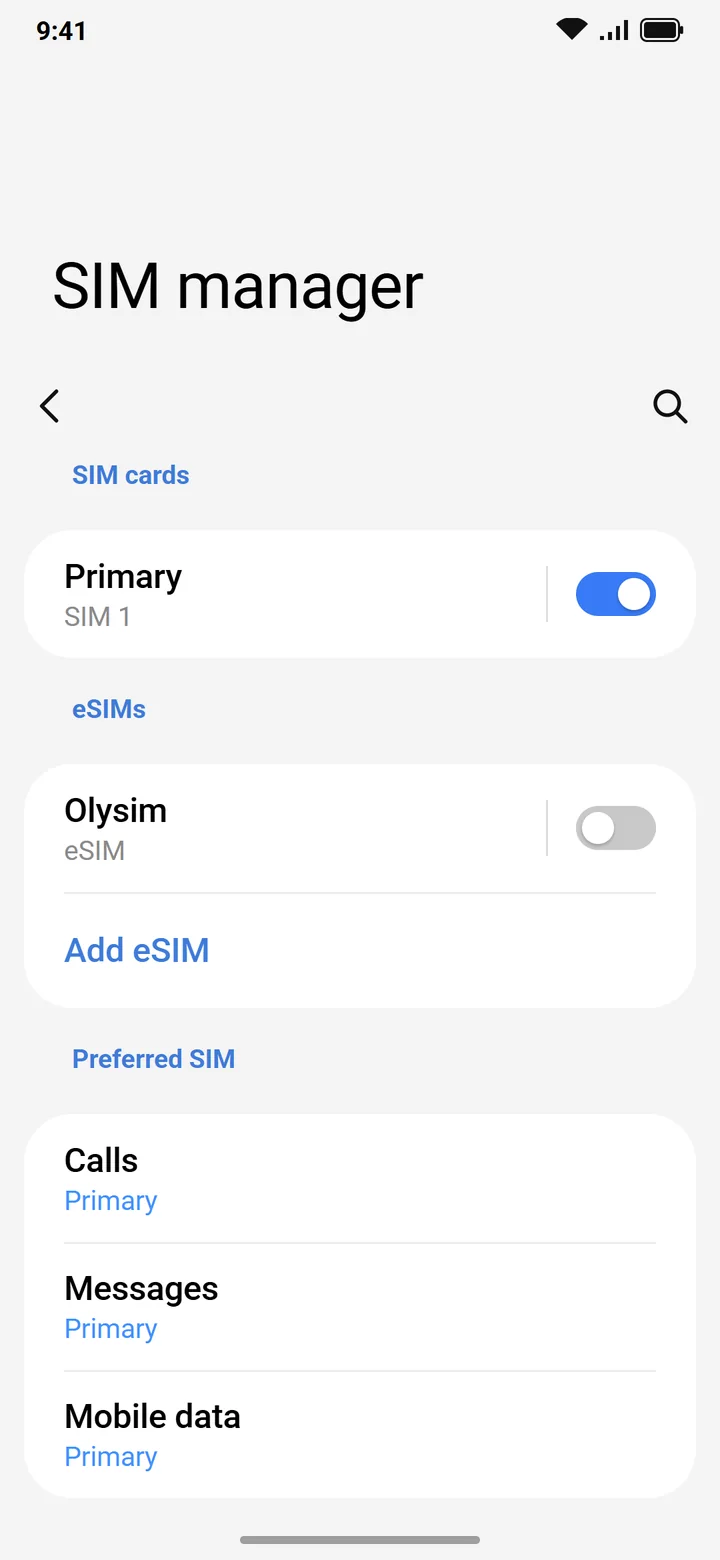 6Step 6 of 9
Turn the new eSIM off for now.
Use the switch next to it in SIM manager. You turn it on when you land.
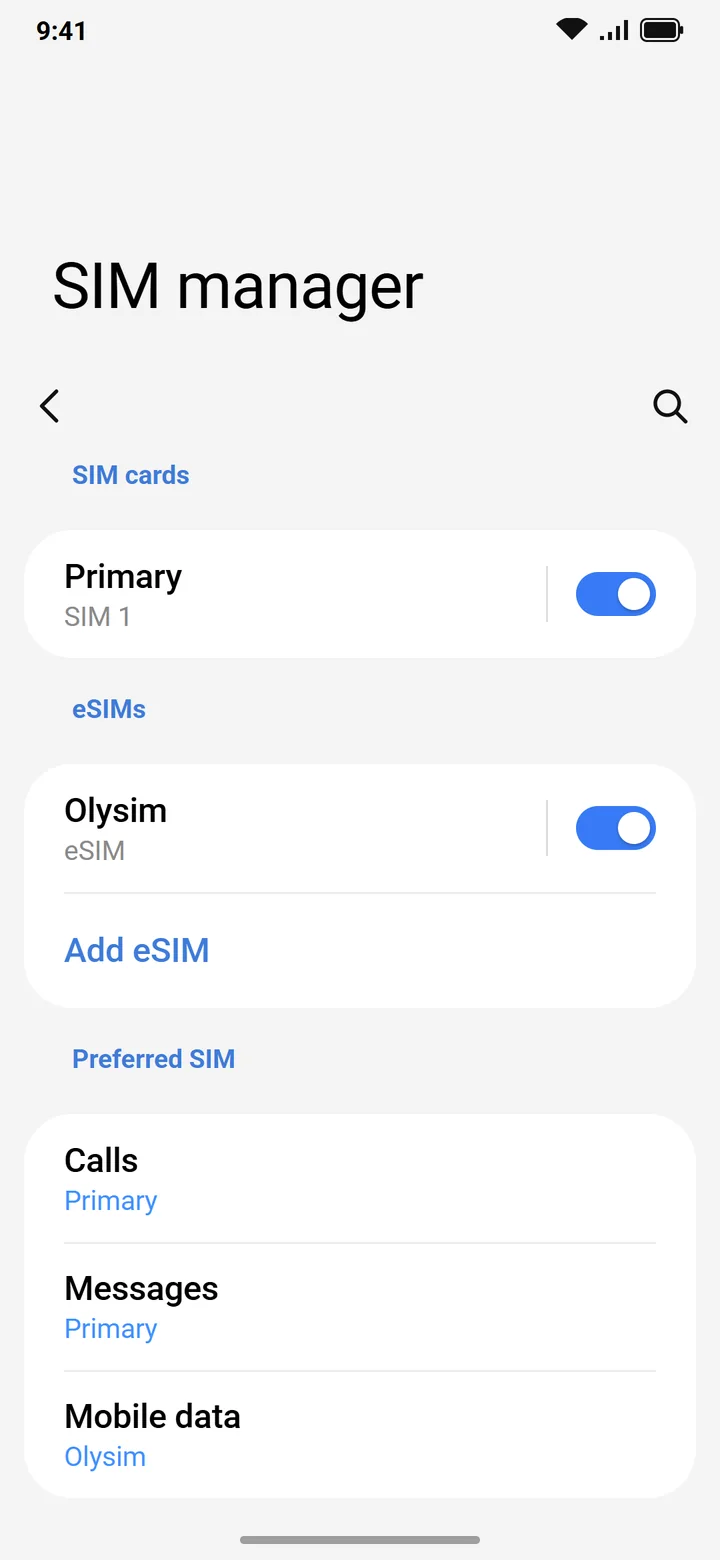 7Step 7 of 9
When you land, open SIM manager and turn the Olysim eSIM on.
Settings > Connections > SIM manager.
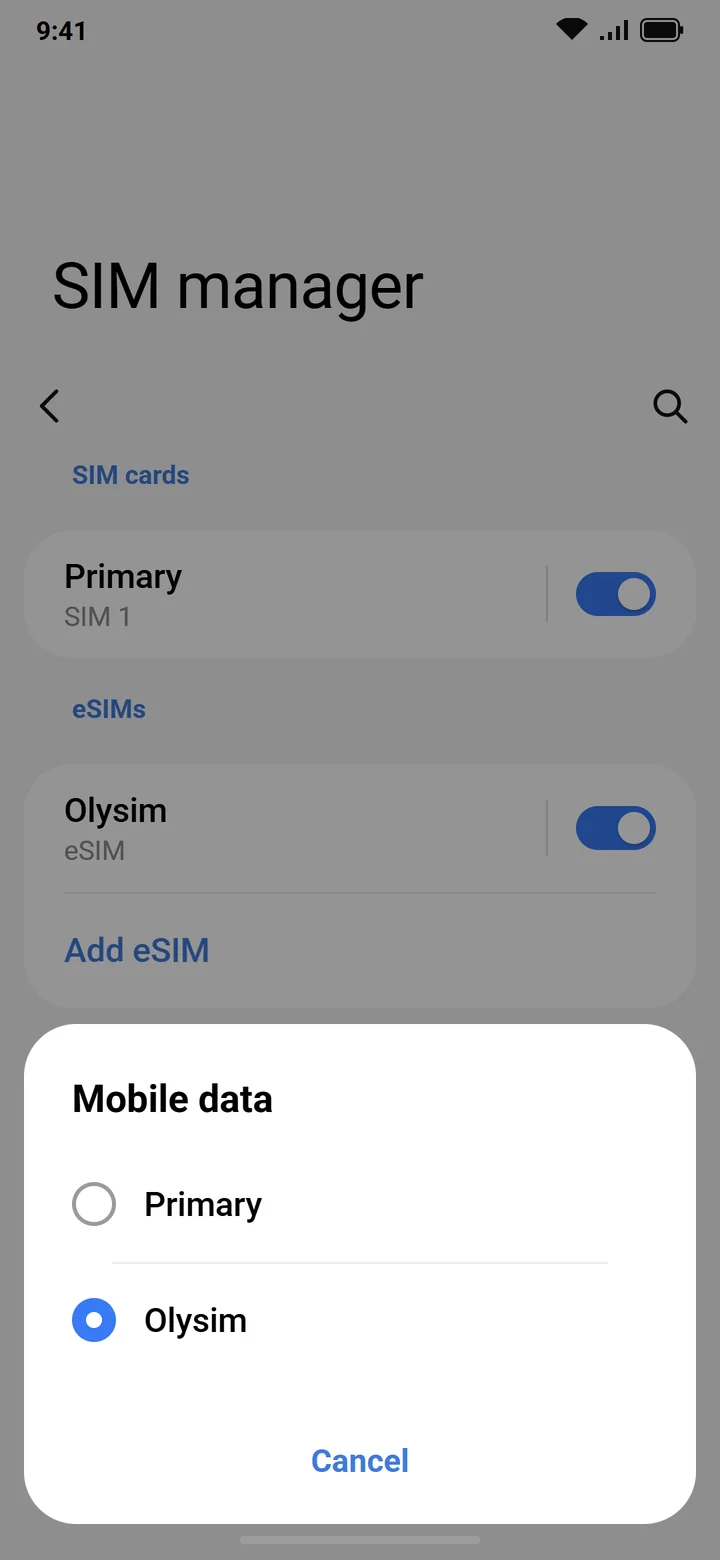 8Step 8 of 9
Under Mobile data, choose the Olysim eSIM.
Calls and SMS can stay on your home SIM.
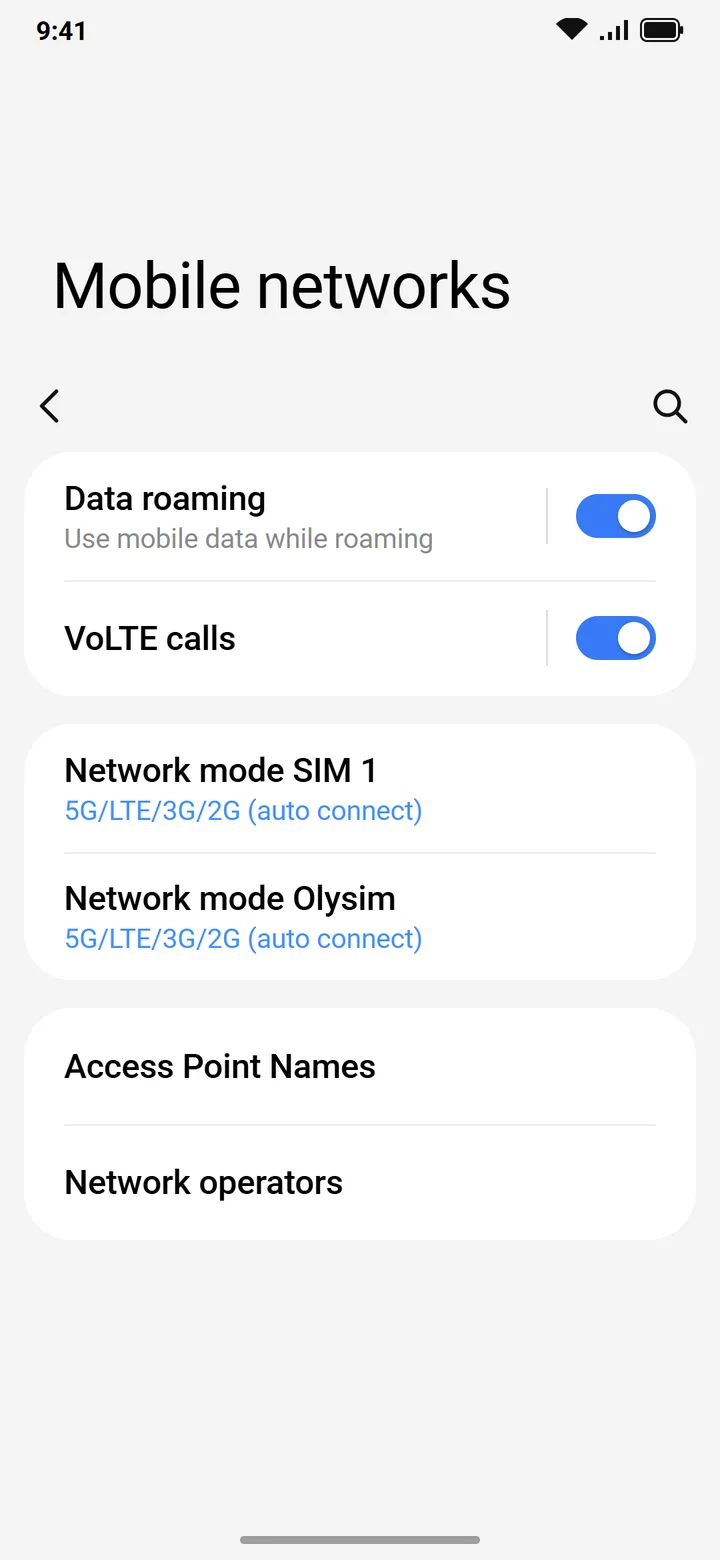 9Step 9 of 9
Go to Connections > Mobile networks and turn on Data roaming.
A travel eSIM needs roaming on. It costs nothing extra on Olysim.
Do not delete the eSIM if it does not connect straight away. A deleted eSIM usually cannot be installed again.
On your Indian SIM, keep Data roaming off, so it cannot use costly roaming data by mistake.
Common questions
Does my Samsung Galaxy support eSIM?
Not every Galaxy does, and some models sold in India do not. Dial *#06#. If an EID number shows, your phone supports eSIM.
Where do I add an eSIM on a Samsung phone?
Settings > Connections > SIM manager > Add eSIM. On older phones: SIM card manager > Add mobile plan.
Can I set it up in India before I fly?
Yes. Scan the QR code at home on Wi-Fi, and switch the eSIM on after you land.