How to install an eSIM on Pixel and Android phones in India
At home in India, on Wi-Fi, open Settings > Network & internet > SIMs > Add SIM > Set up an eSIM and scan the QR code from your Olysim email. When you land, turn the eSIM on, choose it for mobile data and turn on Roaming.
These steps follow a Google Pixel. Other Android phones use similar steps with slightly different names: look for SIMs, SIM manager or Mobile network.
Before you start
- Wi-Fi
- The QR code from your Olysim email, on another screen or printed
- A phone with eSIM (dial *#06# and look for an EID)
Step by step
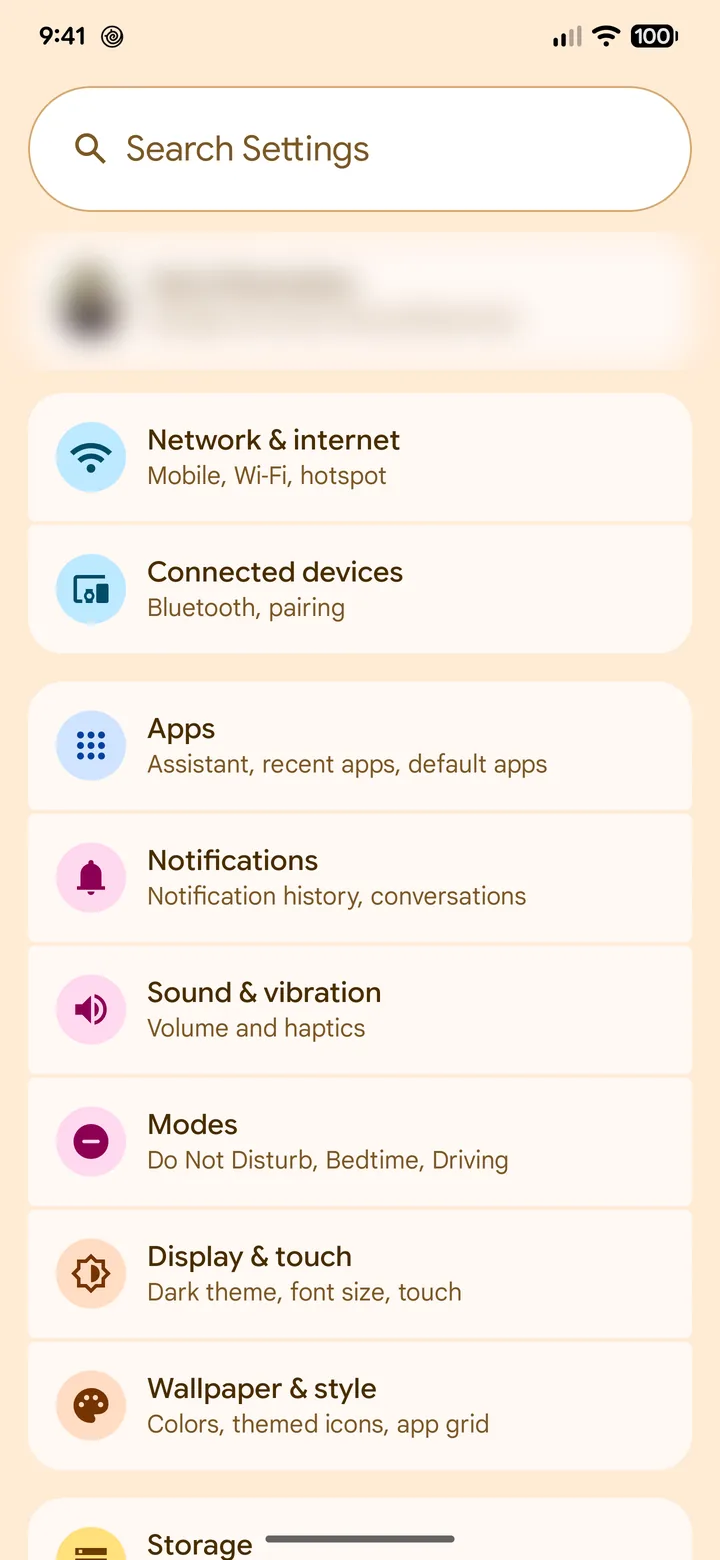 1Step 1 of 12
Open Settings and tap Network & internet.
On some phones it is called Connections or Mobile network.
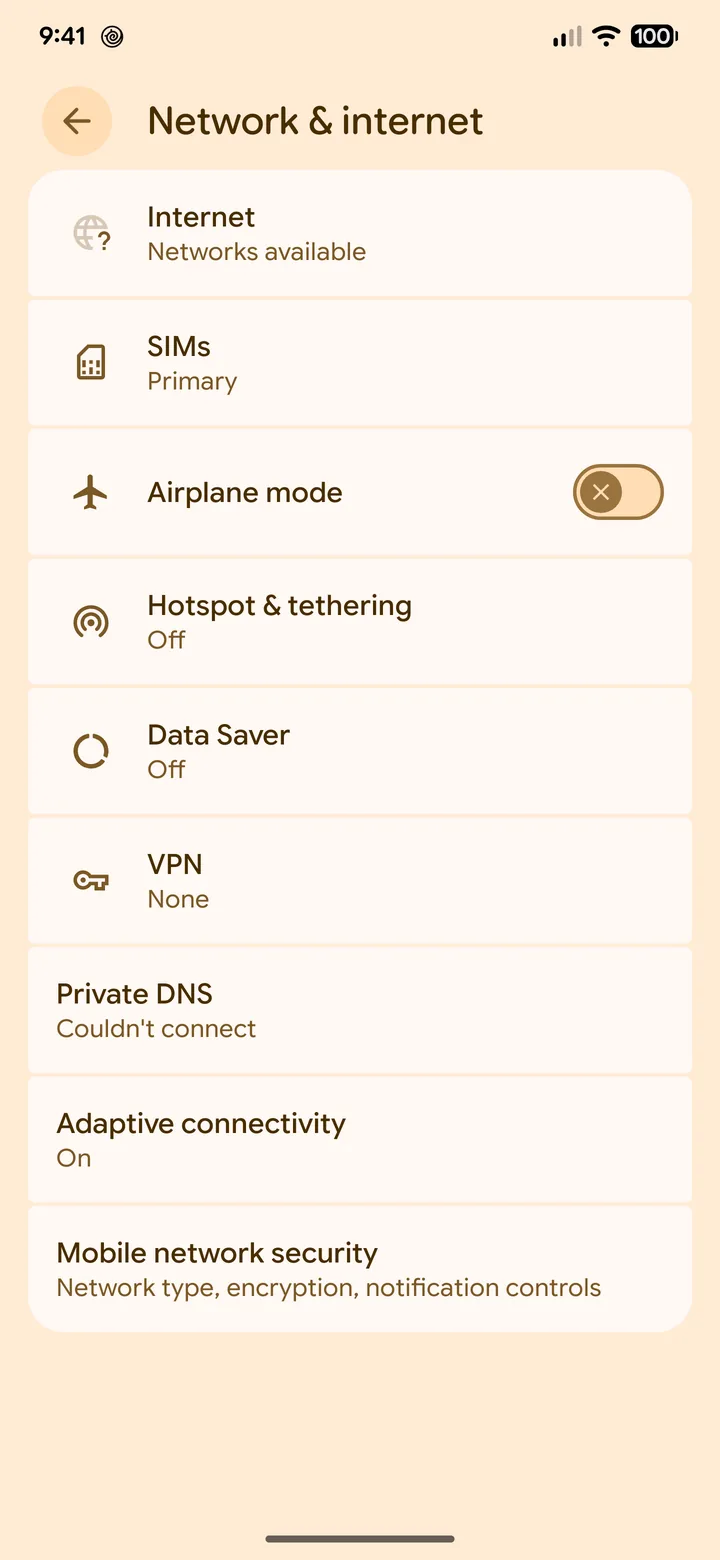 2Step 2 of 12
Tap SIMs.
It is near the top of the list.
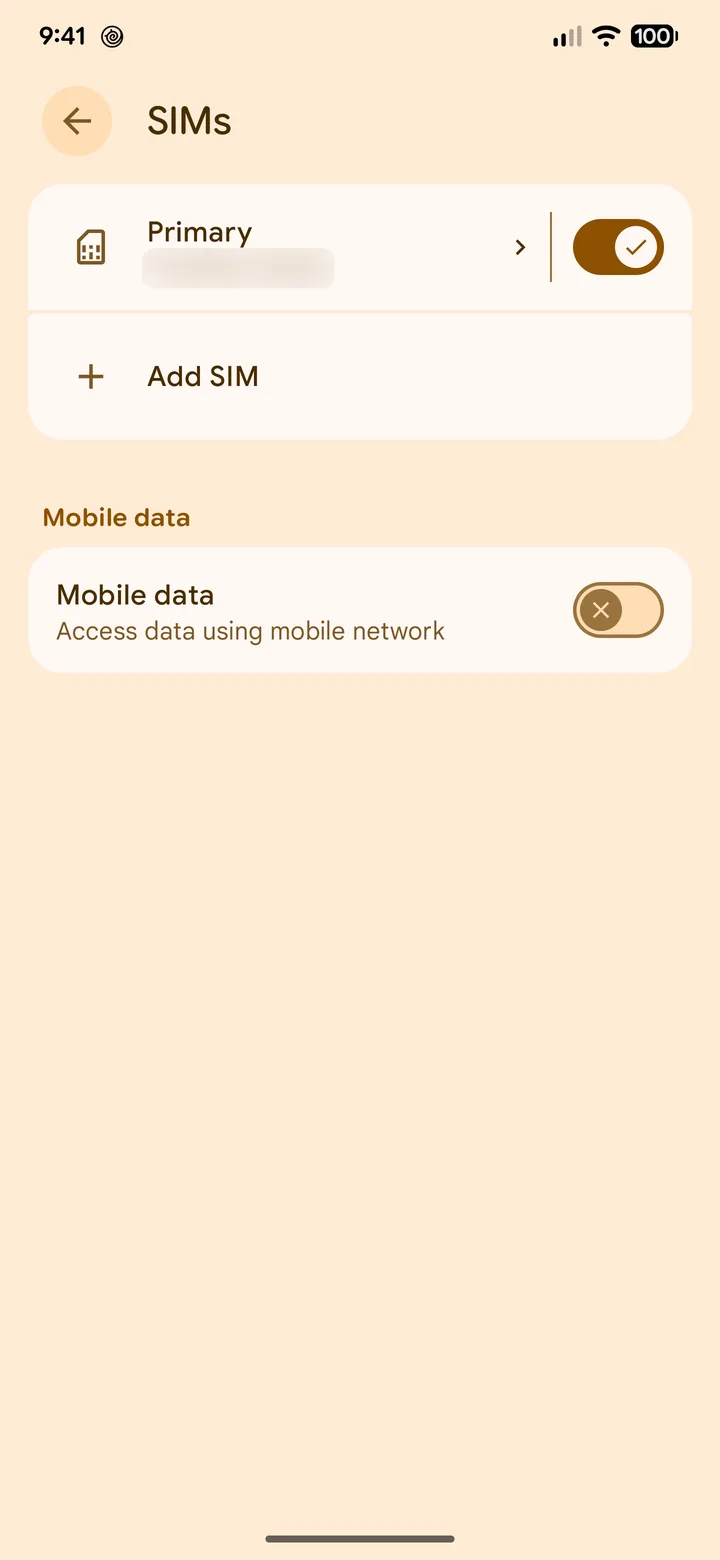 3Step 3 of 12
Tap Add SIM.
It may show a + button instead.
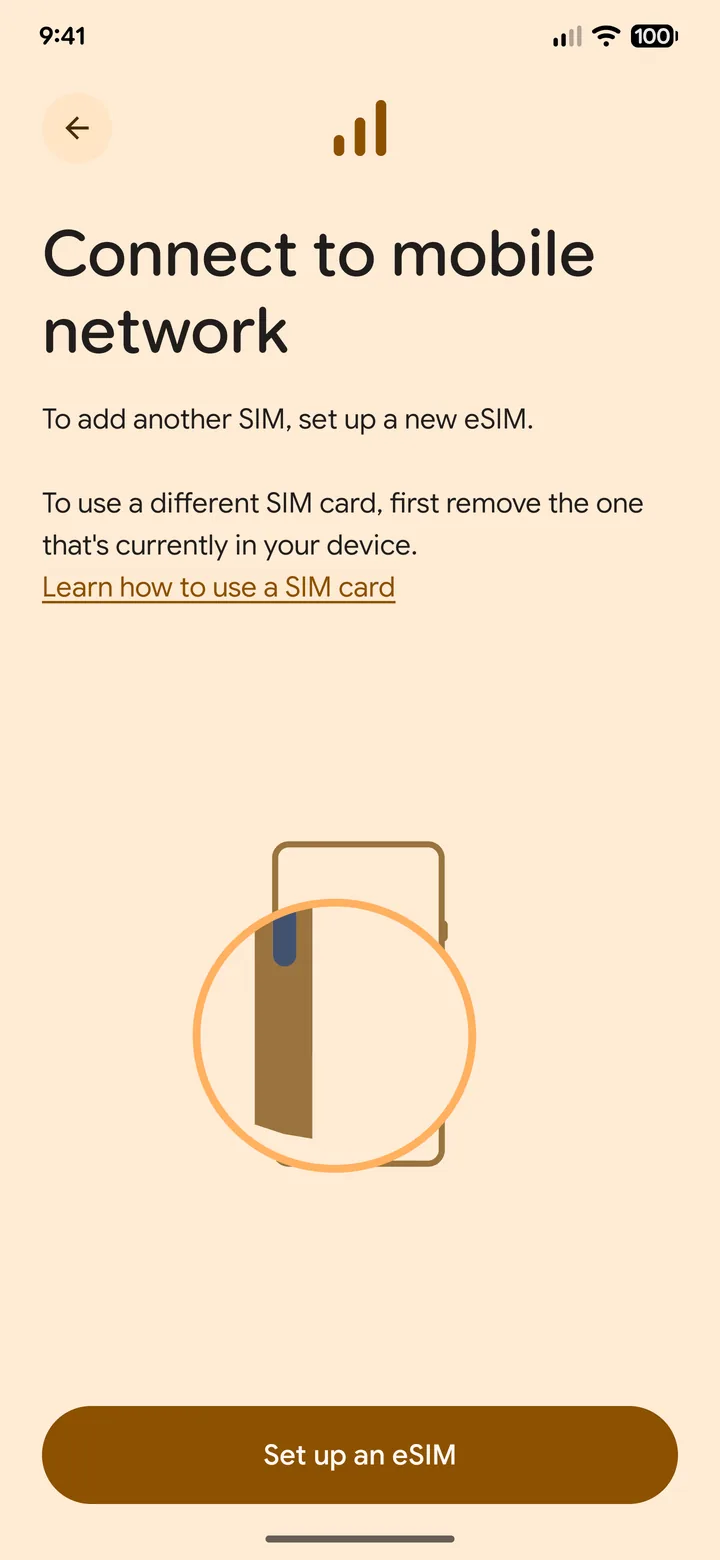 4Step 4 of 12
Tap Set up an eSIM.
Stay on Wi-Fi. The phone needs internet to finish the install.
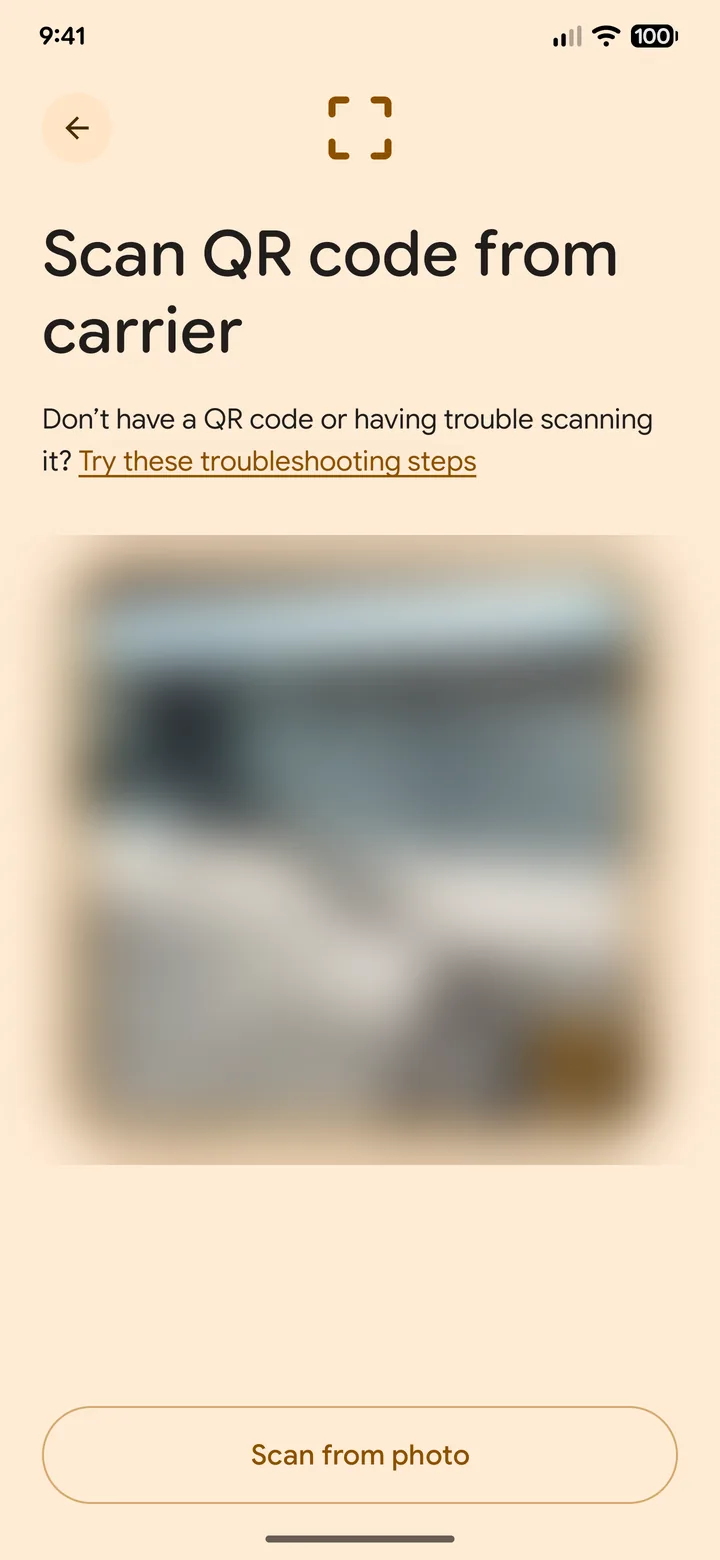 5Step 5 of 12
Scan the QR code from your Olysim email.
Show the code on another screen. Can't scan? Tap Try these troubleshooting steps and enter the code by hand.
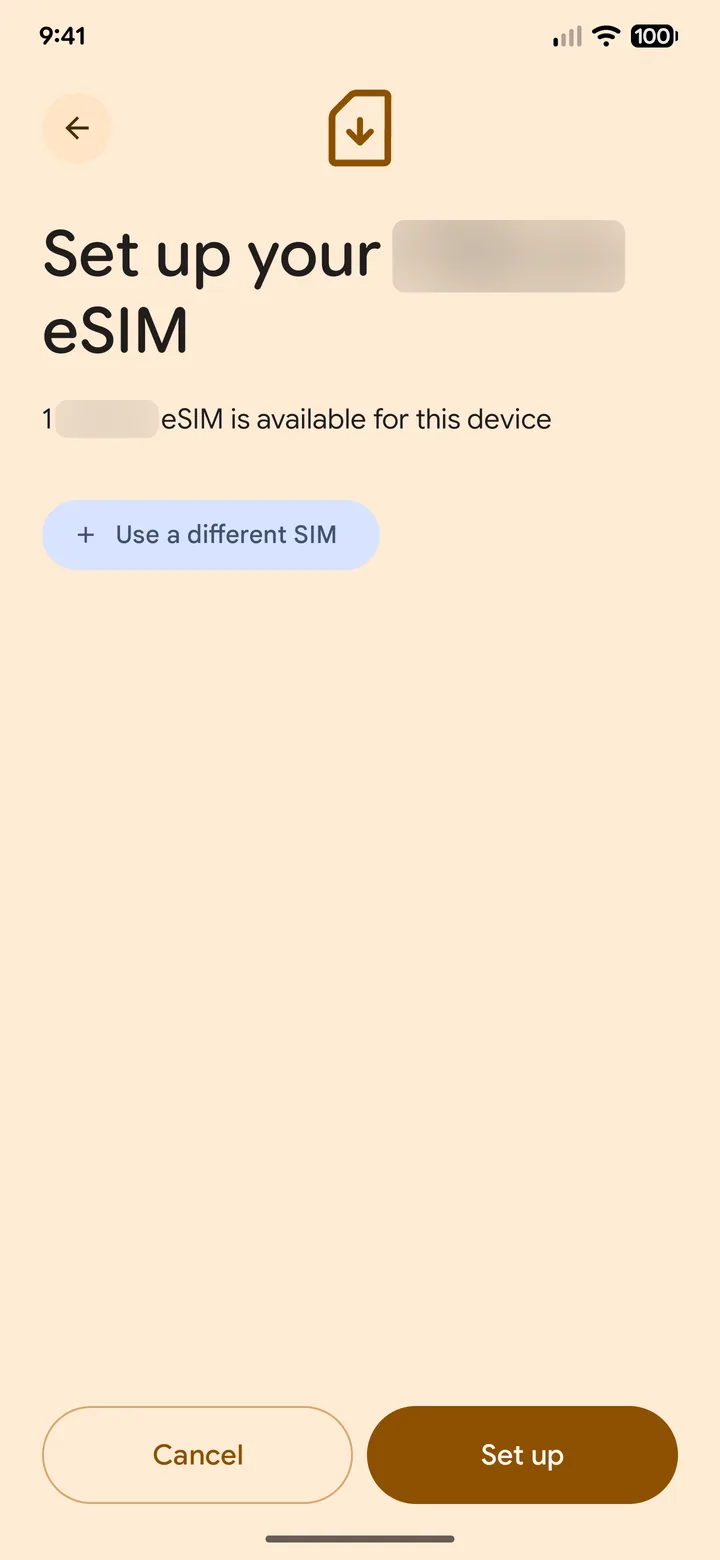 6Step 6 of 12
Tap Set up.
The phone downloads the eSIM. It can take a minute or two.
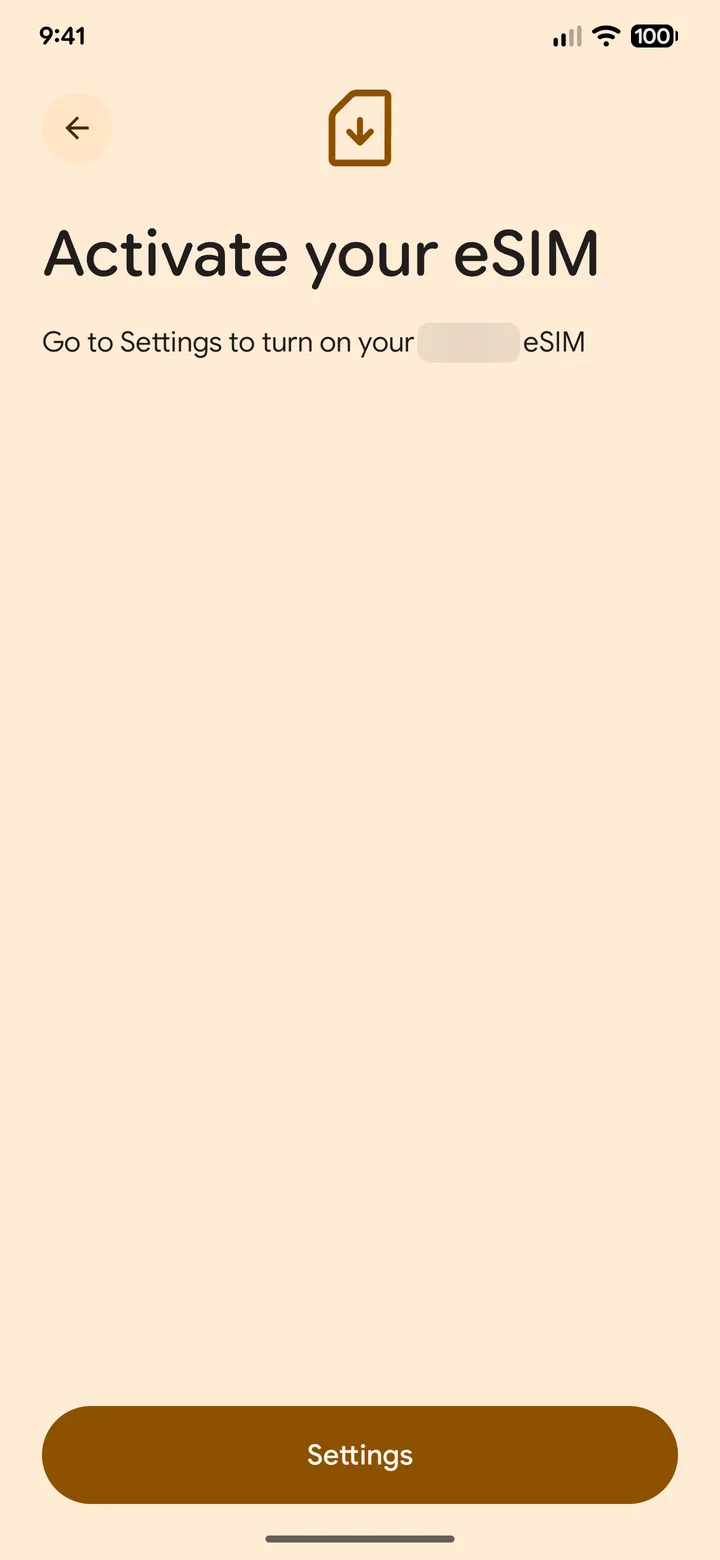 7Step 7 of 12
When it finishes, tap Settings.
Do not delete the eSIM, even if it says activate.
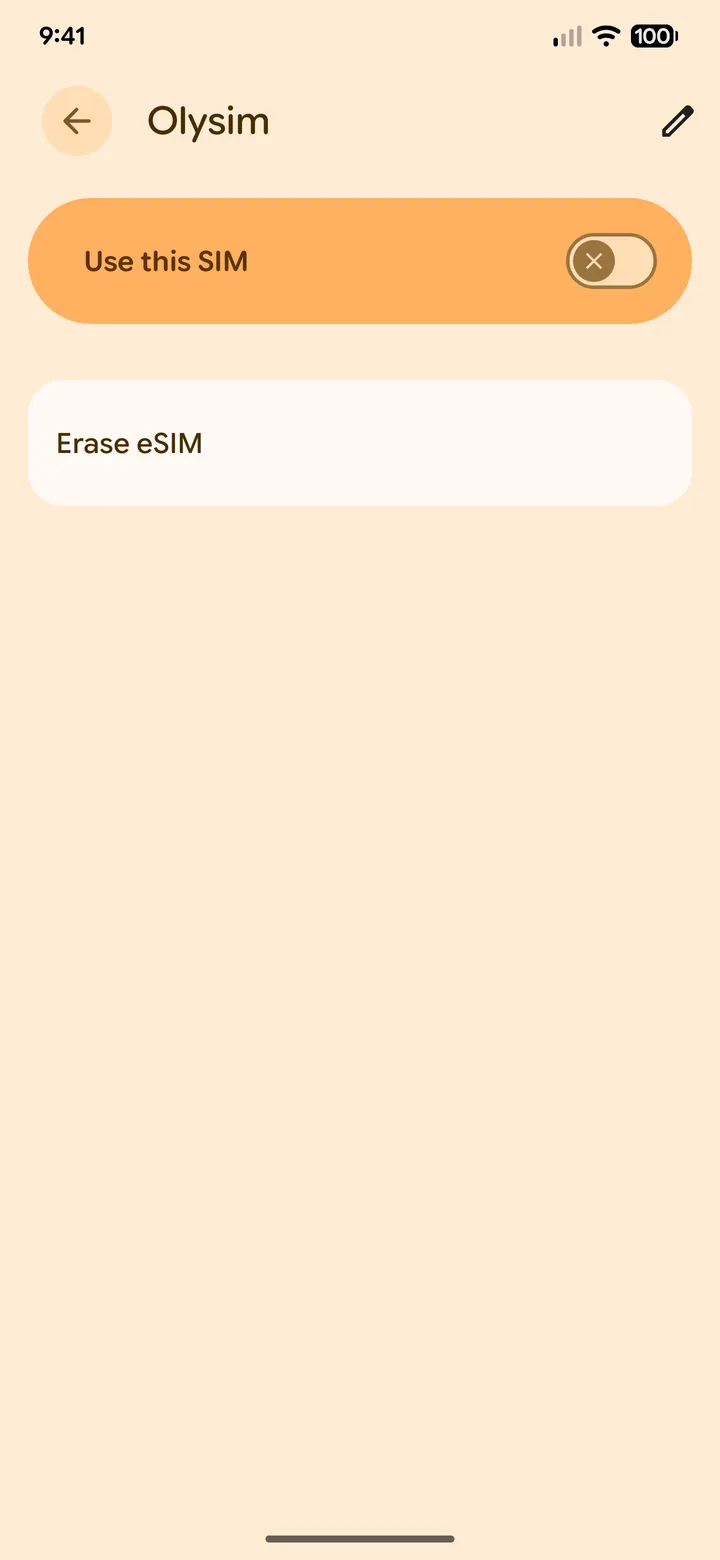 8Step 8 of 12
Leave Use this SIM off for now.
You turn it on when you land.
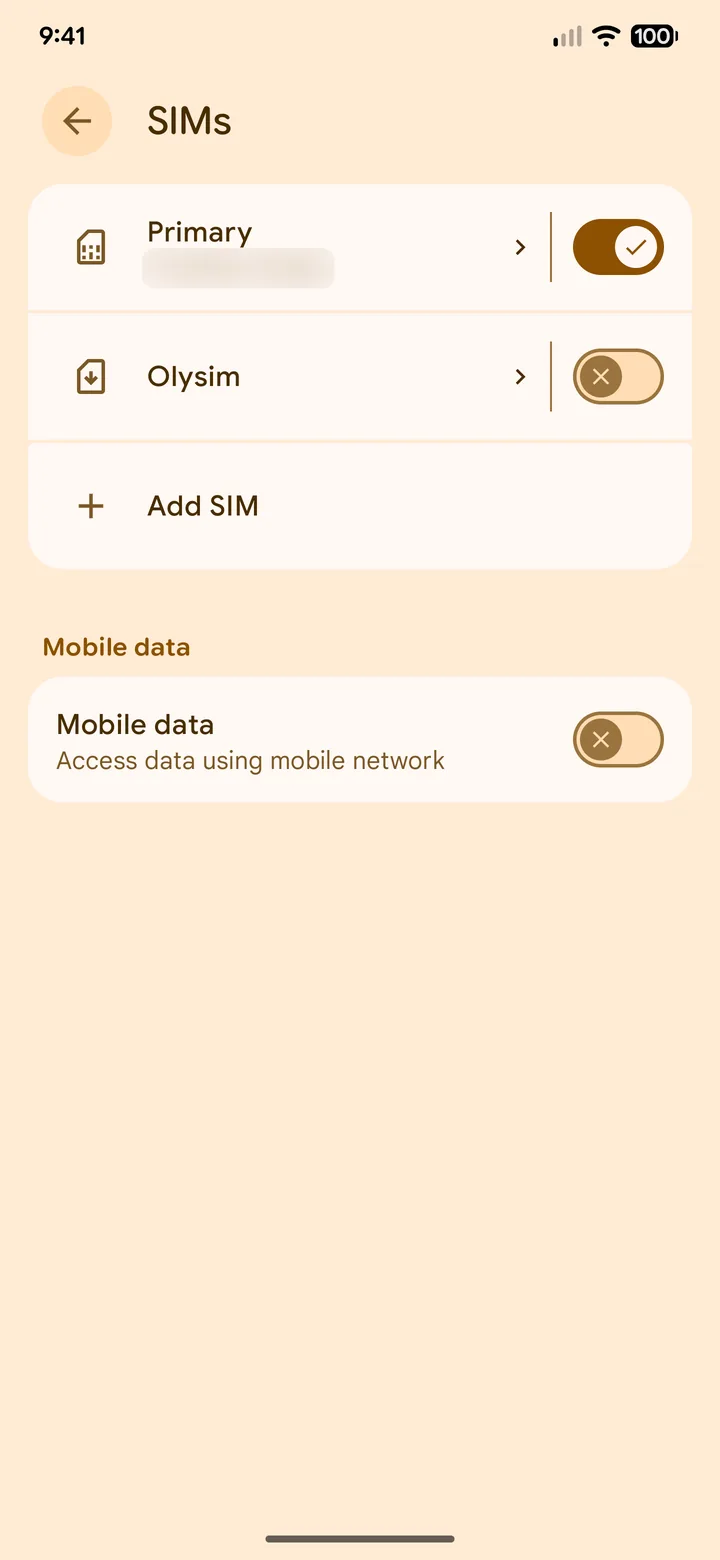 9Step 9 of 12
When you land, open SIMs and tap the Olysim eSIM.
Settings > Network & internet > SIMs.
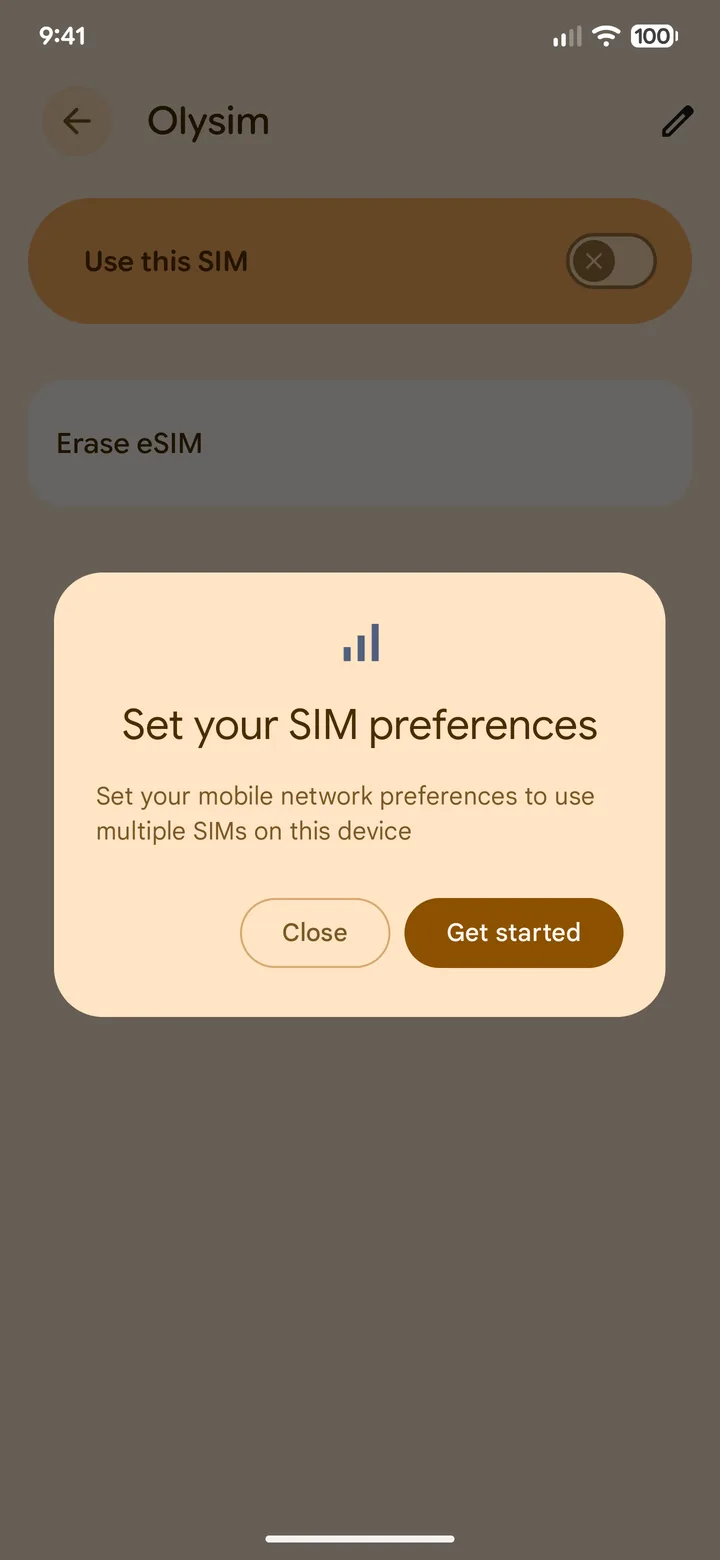 10Step 10 of 12
Turn on Use this SIM, then tap Get started.
Android asks how to use your two SIMs.
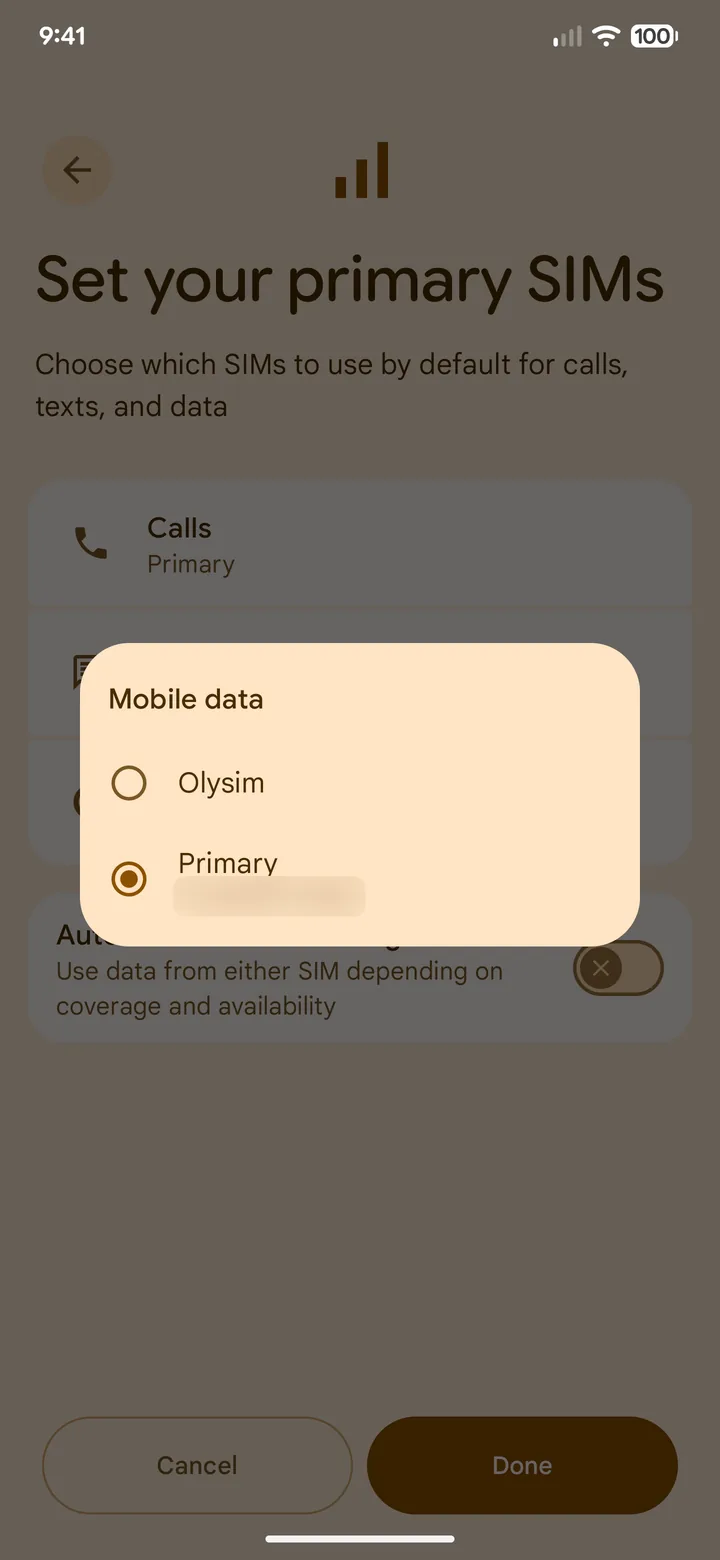 11Step 11 of 12
For Mobile data, choose Olysim.
Calls and texts can stay on your home SIM.
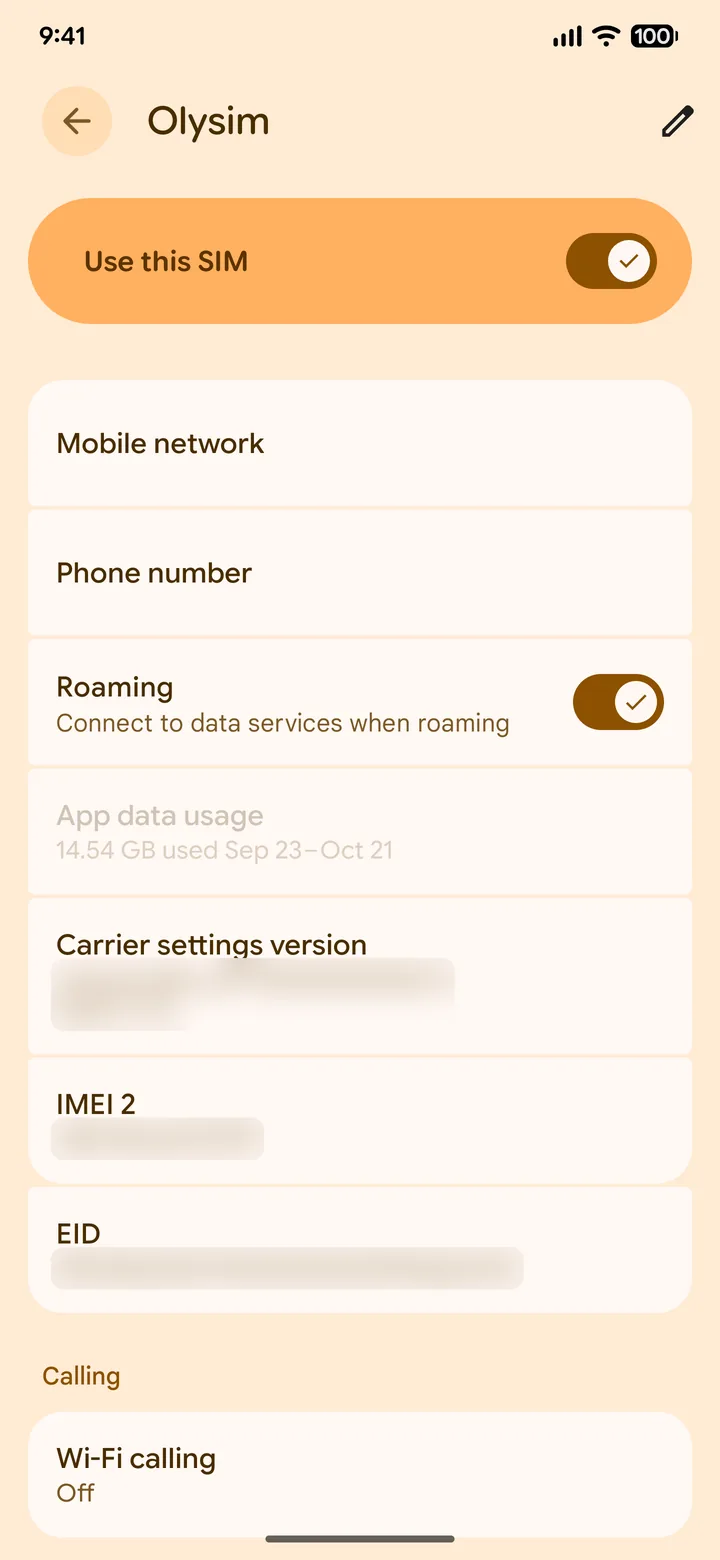 12Step 12 of 12
Open the Olysim page and turn on Roaming.
A travel eSIM needs roaming on. It costs nothing extra on Olysim.
Still no data after a few minutes? Some Android phones need the APN typed in by hand. See our APN guide.
Do not delete the eSIM if it does not connect straight away. A deleted eSIM usually cannot be installed again.
On your Indian SIM, keep Roaming off, so it cannot use costly roaming data by mistake.
Common questions
Does my Android phone support eSIM?
Many recent flagships do, but some models sold in India do not. Dial *#06#. If an EID number shows, your phone supports eSIM.
Why don't the menu names match my phone?
This guide follows a Google Pixel, and other brands use different names. Look for SIMs, SIM manager or Mobile network.
My phone has no eSIM. Can I still use Olysim?
Yes. Order the same plan as a physical SIM card, and we deliver it to your home before you fly.